
Loading Assets
Industry Finance
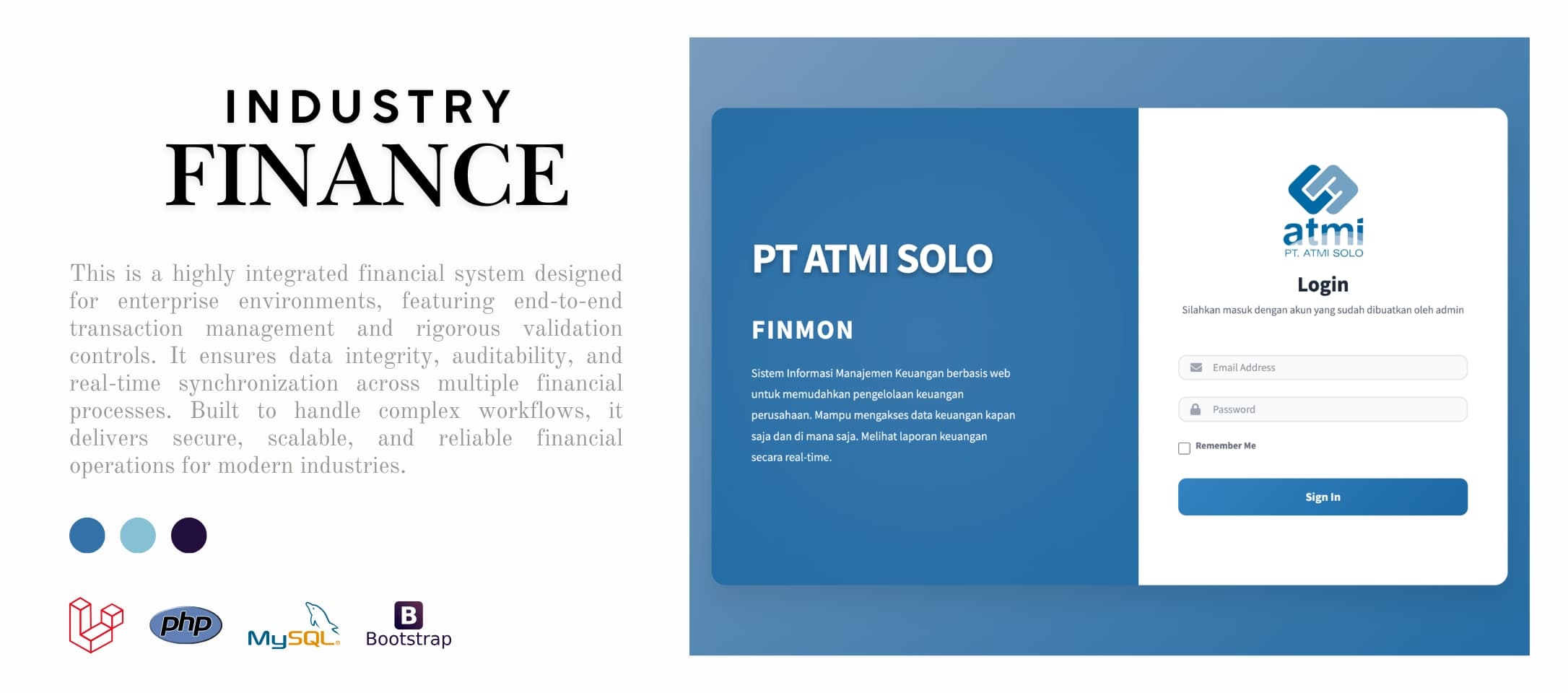
This is a highly integrated financial system designed for enterprise environments, featuring end-to-end transaction management and rigorous validation controls. It ensures data integrity, auditability, and real-time synchronization across multiple financial processes. Built to handle complex workflows, it delivers secure, scalable, and reliable financial operations for modern industries.
This web-based financial system is designed to streamline campus payment management with high accuracy and strict validation processes. It integrates student data seamlessly, ensuring every transaction is well-tracked and secure. Built with modern technologies, it delivers a fast, reliable, and user-friendly financial management experience.
Authentication & Authorization: • Single Sign-On (SSO) authentication via Google OAuth — no manual passwords, seamless login using campus accounts • Automatic role detection based on email domain (students and staff identified instantly) • Role-Based Access Control (RBAC) with granular permissions for each feature (Spatie Laravel Permission) • Secure session management with auto-expiration, CSRF protection, and maintenance mode during system updates
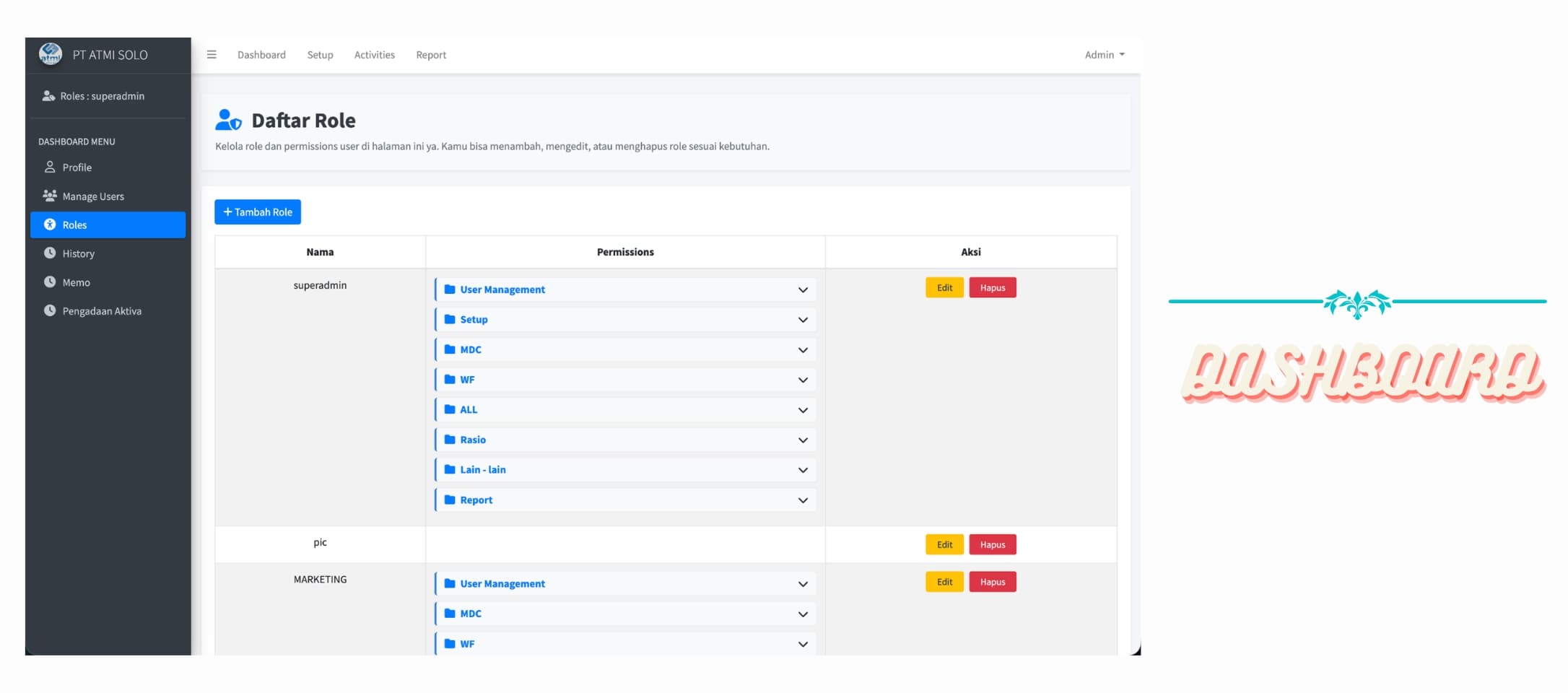
The image displays a role management interface within an enterprise financial system, designed to control user access and permissions. It features a structured dashboard where administrators can view, create, edit, and delete roles such as superadmin, PIC, and Marketing. Each role is associated with a set of categorized permissions, including modules like User Management, Setup, MDC, WF, Reports, and others, allowing fine-grained control over system functionalities.
The interface emphasizes usability and administrative efficiency through a clean layout and intuitive controls. Permissions are organized in expandable sections, enabling quick inspection and modification without overwhelming the user. Action buttons such as “Edit” and “Delete” are clearly accessible for each role, supporting streamlined role governance. This setup reflects a robust implementation of Role-Based Access Control (RBAC), ensuring secure and well-managed access across the system.
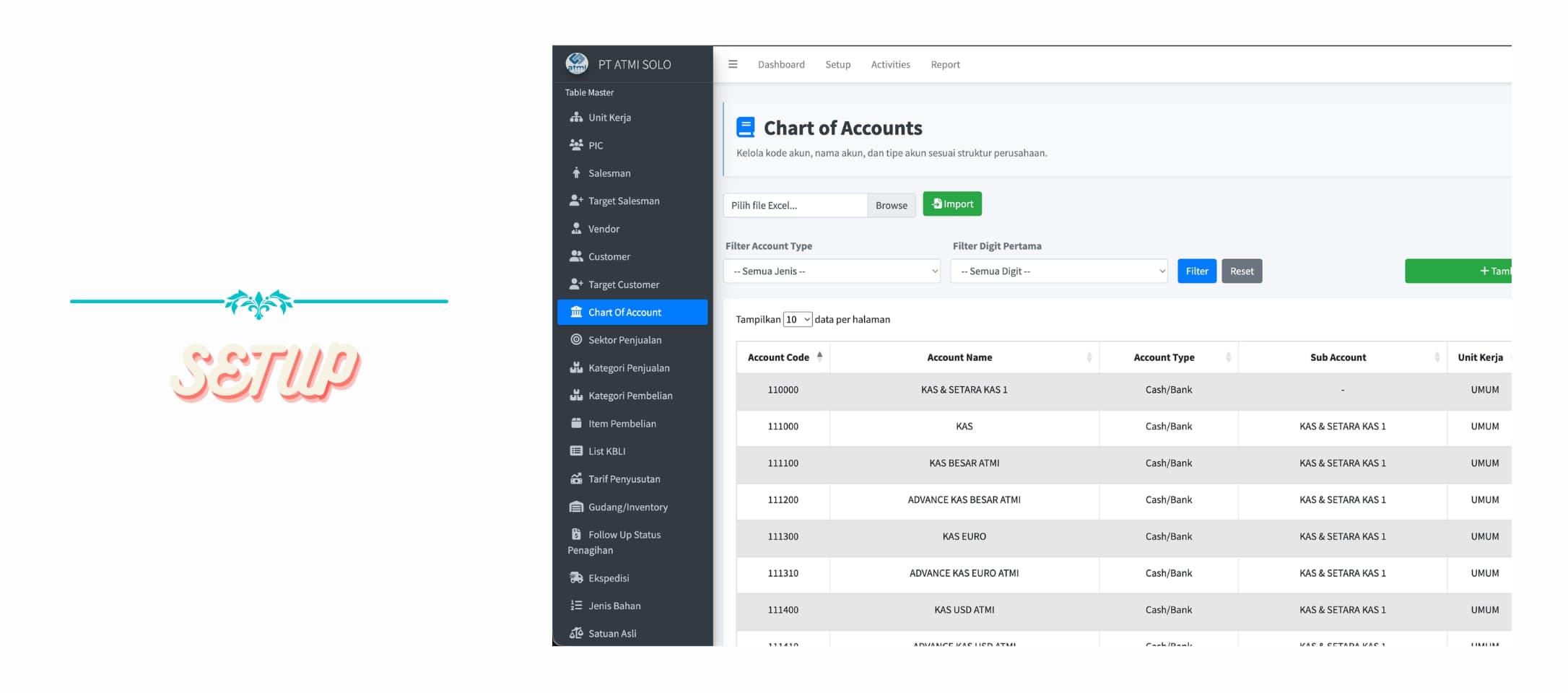
The image presents a Chart of Accounts (CoA) management interface within an enterprise financial system, designed to organize and control the company’s financial account structure. It provides administrators with the ability to manage account codes, account names, account types, and their hierarchical relationships, including sub-accounts and associated business units. The interface supports data import via Excel, enabling efficient bulk setup and maintenance of financial accounts in accordance with the organization’s accounting framework.
Additionally, the system includes filtering and search capabilities that allow users to quickly locate specific accounts based on account type or code segmentation. The tabular layout displays key financial attributes such as account code, account name, classification (e.g., Cash/Bank), sub-account linkage, and assigned unit. Action controls like “Edit” and “Delete” are available for each record, ensuring flexible account management. This structured approach ensures consistency, scalability, and accuracy in maintaining the company’s financial reporting foundation.
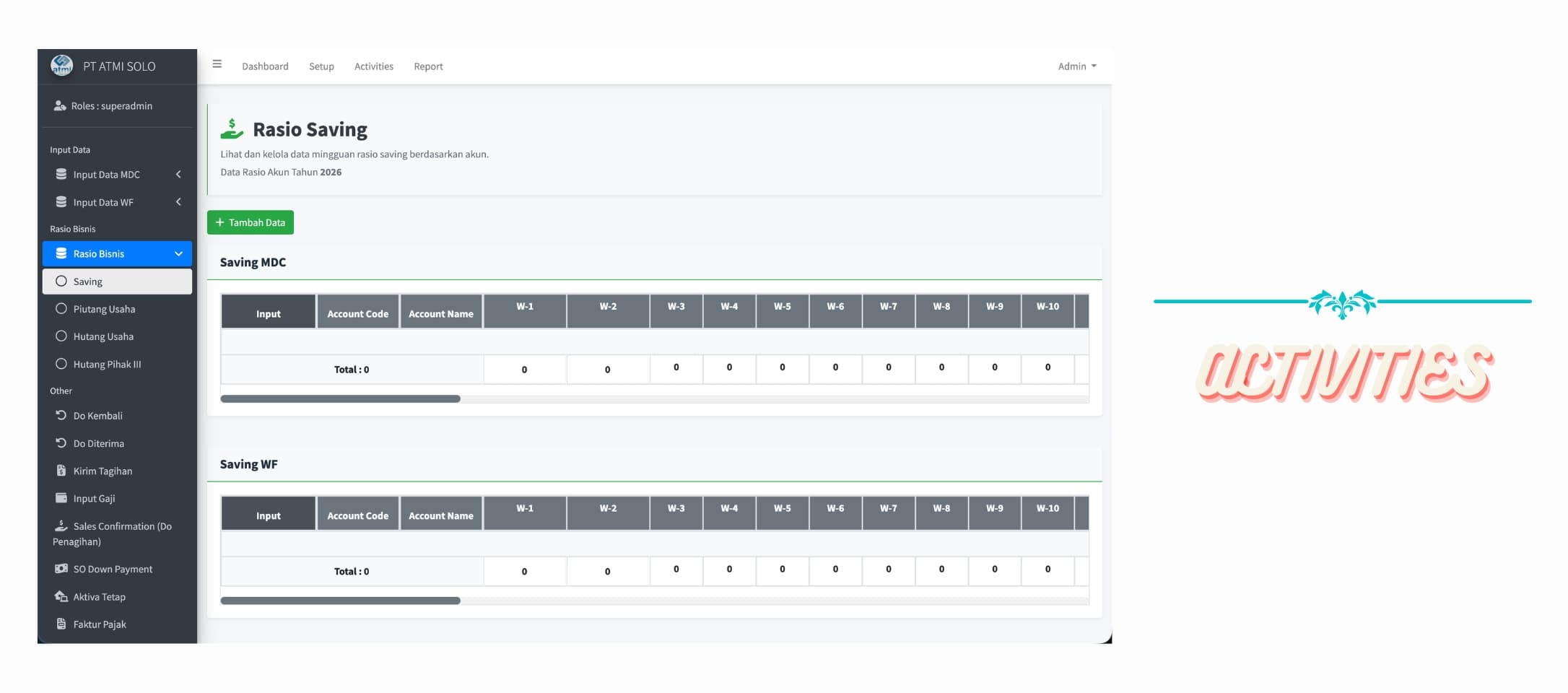
The image illustrates the Activities module of an enterprise financial system, specifically focused on managing and monitoring Saving Ratios across different accounts. The interface allows users to input and track periodic financial data on a weekly basis (W-1 to W-10), segmented into categories such as Saving MDC and Saving WF. Each entry is structured by account code and account name, with aggregated totals displayed to provide a quick overview of financial performance. This module supports structured data entry and enables organizations to analyze trends and maintain consistency in operational financial metrics.
On the left side, the sidebar provides a clear and hierarchical navigation structure, grouping functionalities into sections such as Input Data, Rasio Bisnis, and Other operational features. Menu items like MDC, WF, receivables, payables, payroll input, and invoicing indicate a comprehensive system that covers end-to-end financial activities. The sidebar design enhances usability by allowing users to quickly switch between modules, ensuring efficient workflow management across various financial operations.
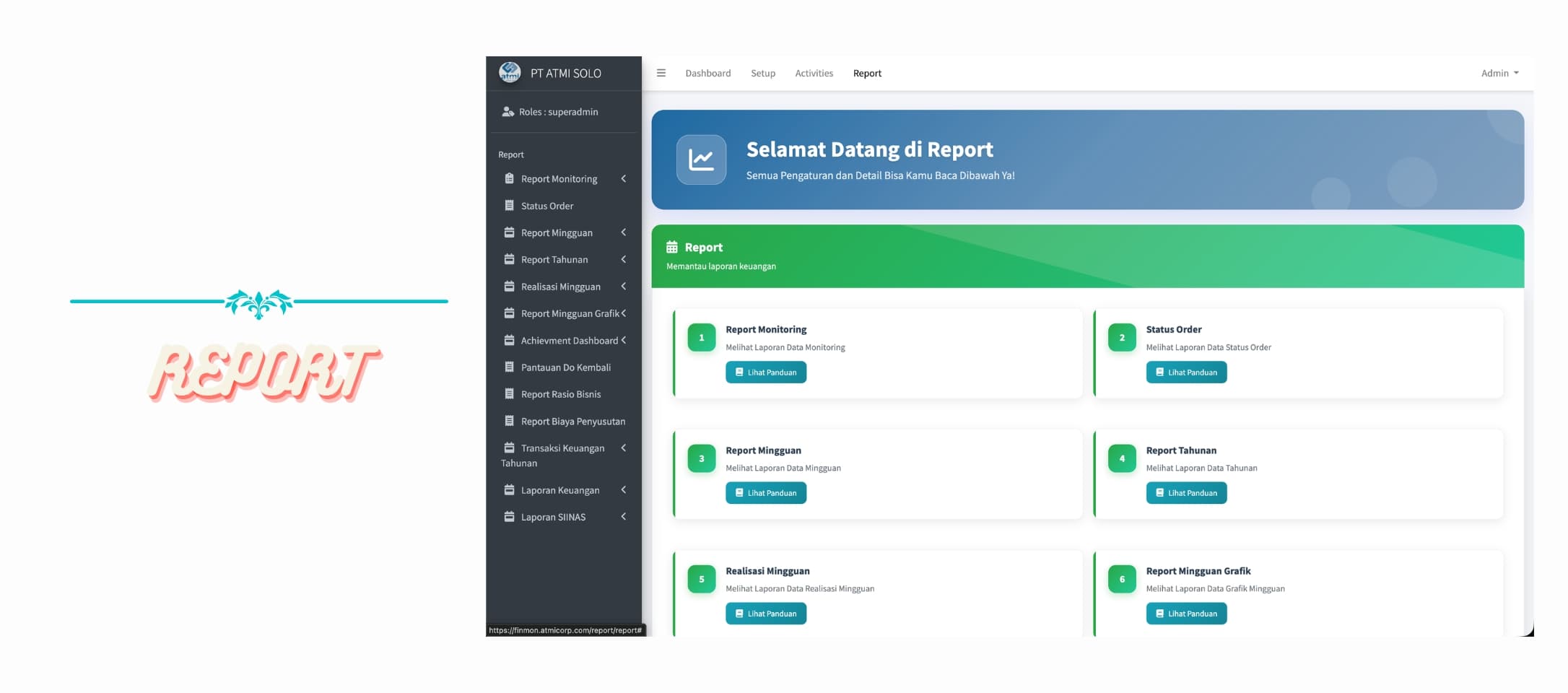
The image presents the Report module of an enterprise financial system, designed to provide comprehensive visibility into organizational financial data and performance. The dashboard offers access to various reporting features such as Report Monitoring, Status Order, Weekly Reports, Annual Reports, and Weekly Realization, along with graphical summaries for easier analysis. Each report category is clearly structured in card-based sections, enabling users to quickly navigate and review specific datasets, supporting informed decision-making and financial oversight.
The sidebar on the left displays a well-organized navigation menu dedicated to reporting functionalities, including monitoring, financial transactions, depreciation reports, business ratio reports, and integration with external reporting systems such as SINAS. This hierarchical structure allows users to efficiently switch between different reporting tools and ensures streamlined access to both operational and strategic financial insights within the system.